Chic Two Bedroom North Star 11 Unit Guide
-
Welcome to Whistler-Blackcomb and North Star Unit 11. This guide contains useful information about the condo, the North Star complex, and area in general. If you have questions or concerns please do not hesitate to contact us. We are available and eager to make this trip a great one.
WIFI
Network name: Unit 11-5G
Password: Drummond11
4355 Northlands Boulevard, Whistler, BC V0N 1B4, Canada
-
Garbage/Recycling Located at the round about complex entrance, you will need common area key on lanyard to enter.
Coffee We have a Nespresso machine that takes large pods! We do not supply pods, however we supply drip coffee and sugar!
Ski and Bike Storage Please leave skis and boards on the patio in the winter and not in the unit (they scratch walls). Please use the secure locked bike room for bike storage (bring your own lock!) Access area with the common area key
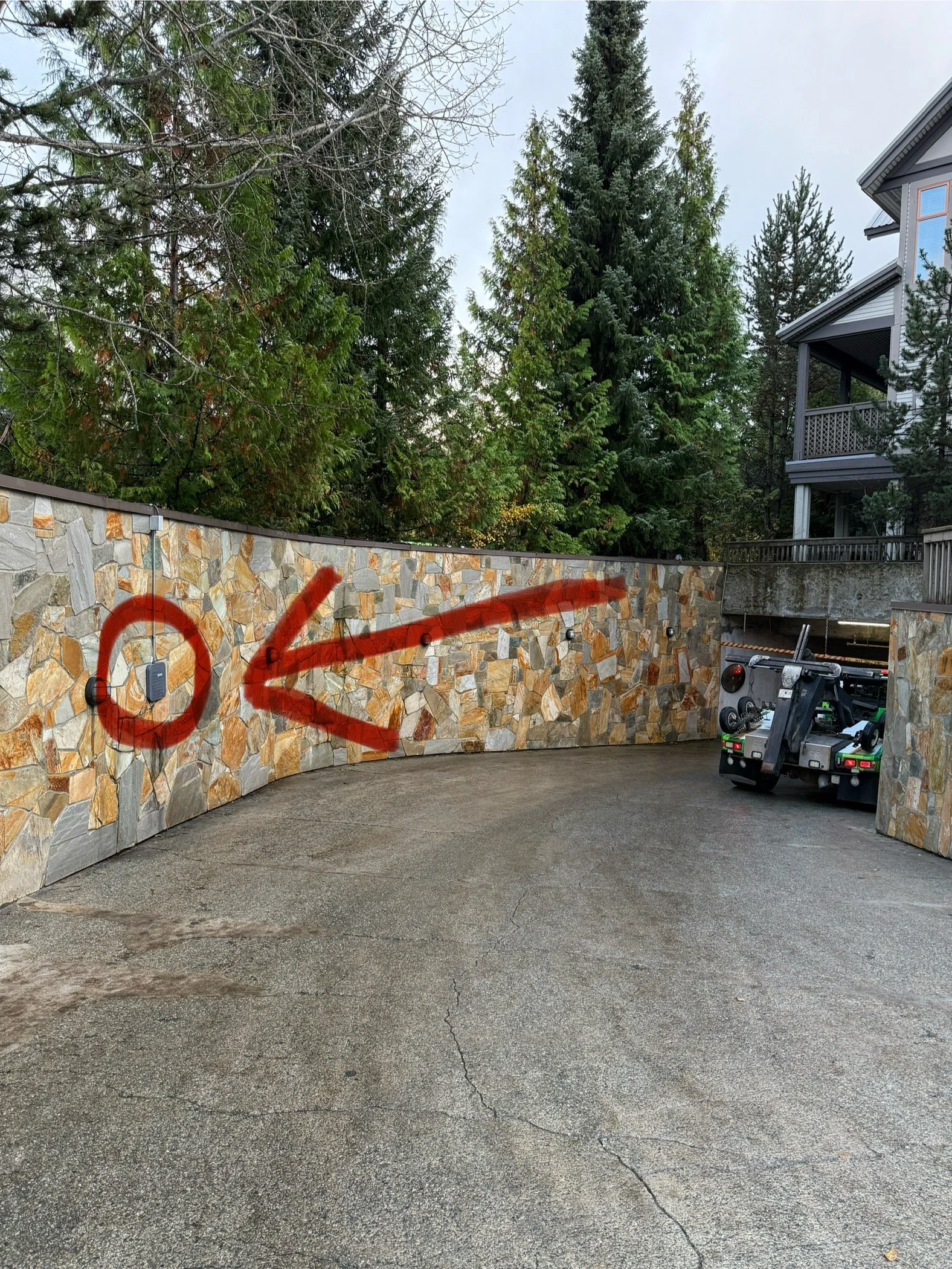
Parking + Common Area/Garage Key Use the key card on the lanyard to open the garage gate, there is a square scanner 20 meters from gate halfway up the ramp. Please park in stall 11 (on your left) and display parking pass. There is a 100$ fee associated if you lose the common area key/parking pass!
For visitors there is a two hour parking area outside of the gated parkade underground - they will tow if a vehicle is there for longer and 2-3 hours.
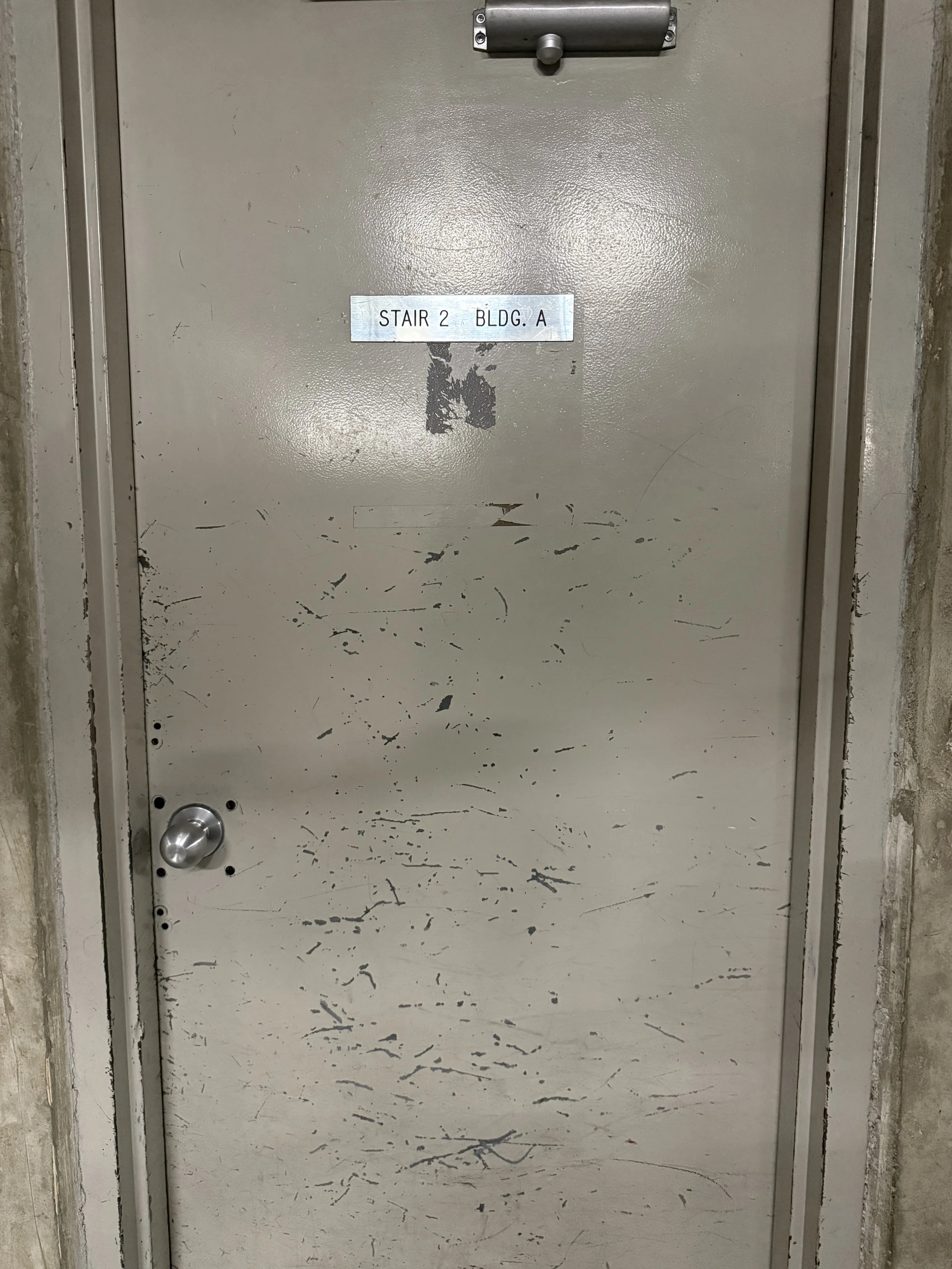
Use door beside the parking spot for quickest access to condo.
Communal Hot Tub, Pool and Sauna Use the white fob to access the pool though the office only. There are pool toys either in the entry way closet or the utility closet in the bathroom. Hours of operation: 10am to 10pm. Lots of plastic glasses are in the cupboard as there is a no glass policy at the pool.
BBQ Make yourself at home with the BBQ! Please scrub the grill after use and ensure the propane is turned off
House Rules: No smoking or vaping in the home, on the patio or anywhere within the complex. No skis or bikes permitted in the Condo (balcony okay for skis only). No parties. No pets
Noise Restrictions: from 11PM to 8AM
Please remove shoes/ski boots when entering the home
If something has been accidentally damaged, stained, or broken you may be covered. All you need to do is report it to us.
Only flush toilet paper down the toilet
-
Click Here for Locals Only Guest Guide
Where to eat, rent gear, ski, activity suggestions, day trips and more!
-
Check-out time is 10:00AM - Before departure please start the dishwasher. Take the garbage and recycling to garbage room near the roundabout.
It is greatly appreciated if you can start the load of laundry for our cleaners. They do al laundry on site and it really helps them out, it is not required simply appreciated
-
Great google reviews really help small business like True North. If you have the time to leave us a review it would go a long way. Google Review link here.
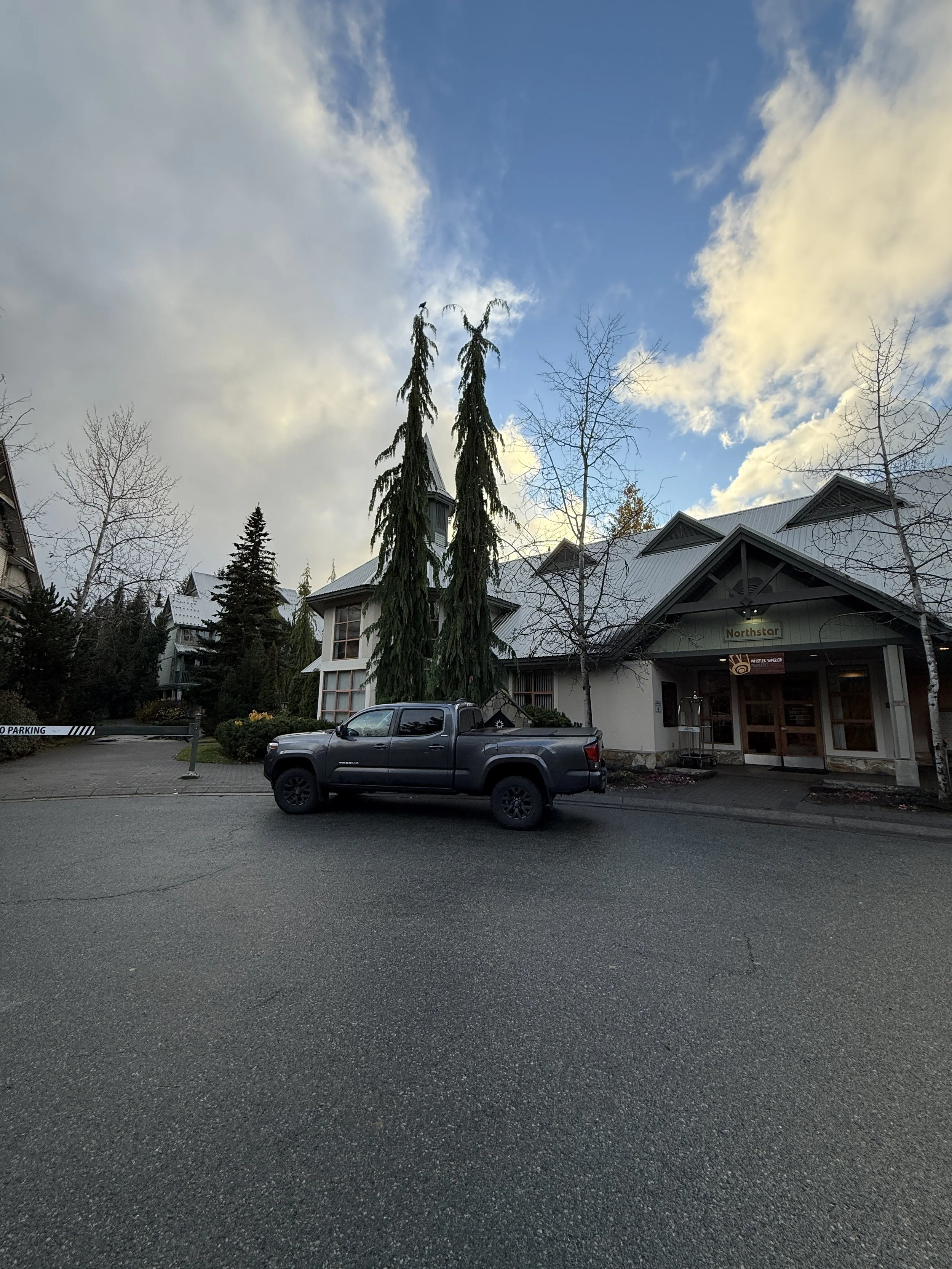
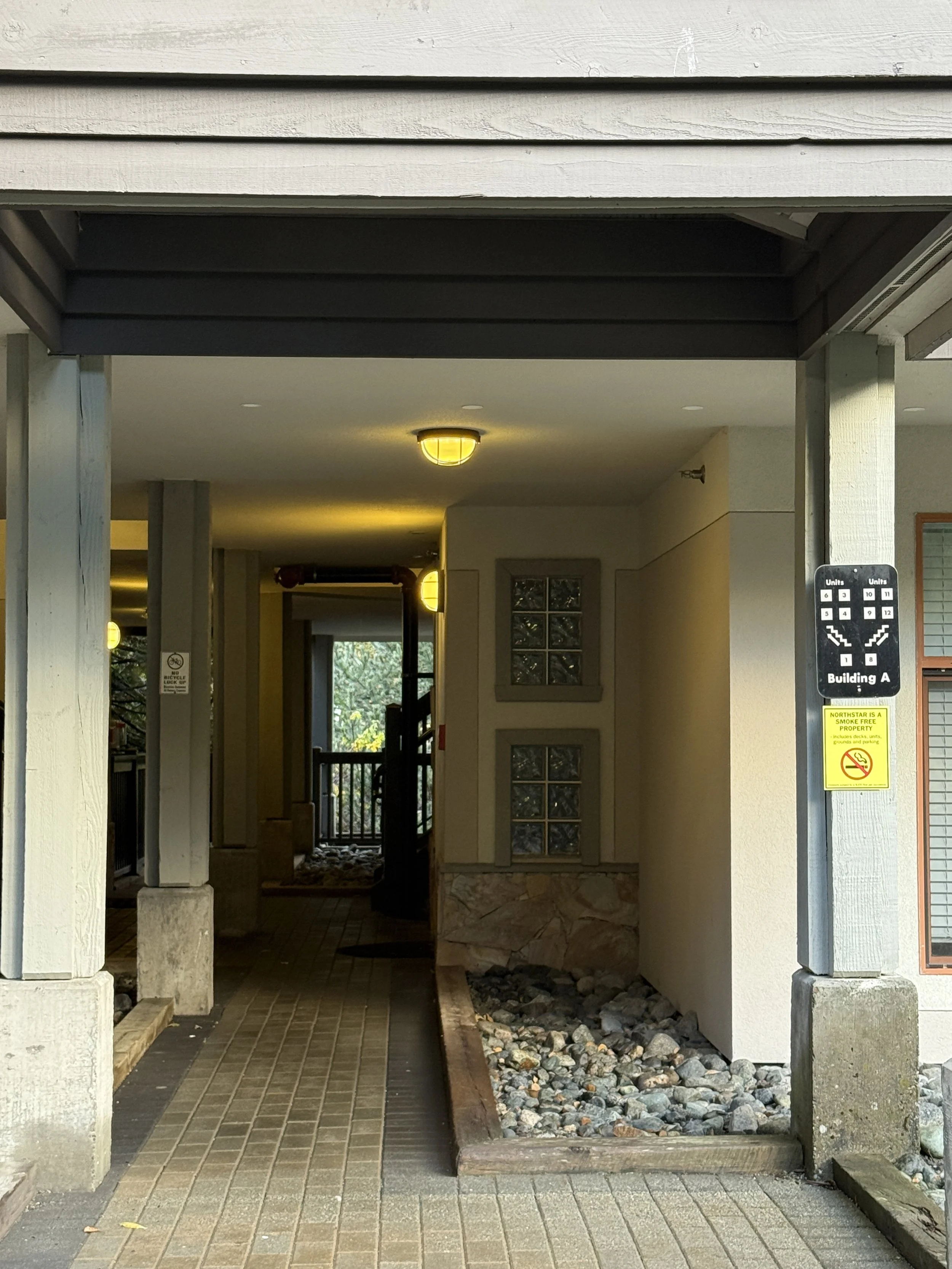
The 1st photo is of the round about, and the front desk building. You should park where the truck is, or any spots around it. If there is not parking in the circle, there is visitor parking down the ramp, before the entrance to the parking garage. Walk along the path that the truck is pointing at and Building A will be on your left. The 2nd photo is of the building A sign that shows where unit 11 is - grab parking pass from unit and go park in parking garage. The 3rd photo is of the scanner for the parking garage gate, park in space #11. The 4th photo is the stair case to the right of the parking space you should use to head up to the condo. The video below is how to operate the blinds.